Banners
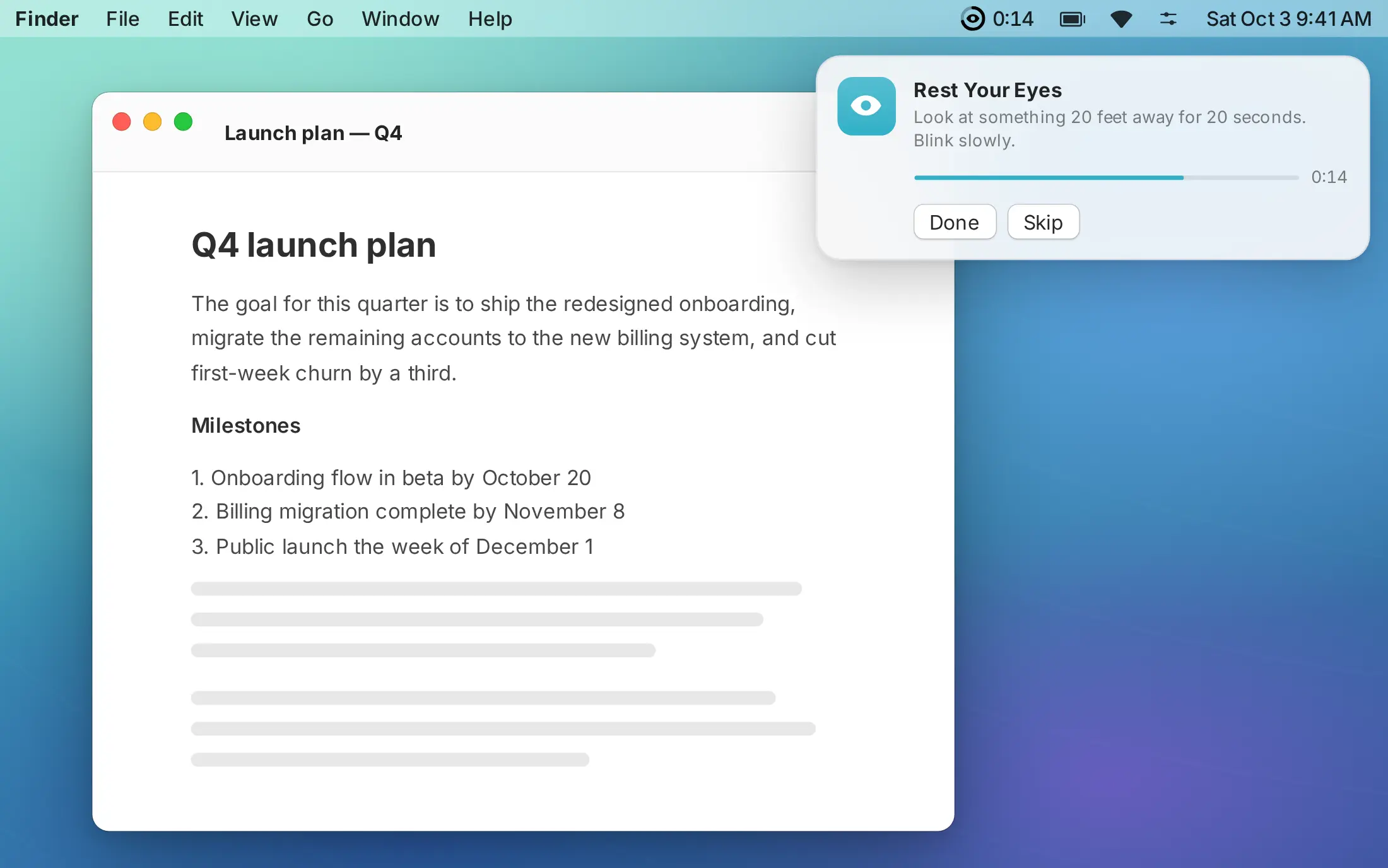
A nudge in the corner, then out of your way.
Short breaks slide in like a notification. Start the timer, mark it done, snooze or skip. Optional reminders dismiss themselves if you're busy and try again next cycle.
 Breather
Breather counts only the time you're actually using your Mac, then reminds you to rest your eyes, drink some water, stretch or step away. It stays quiet while you're on a call.
 Requires macOS 14 Sonoma or later
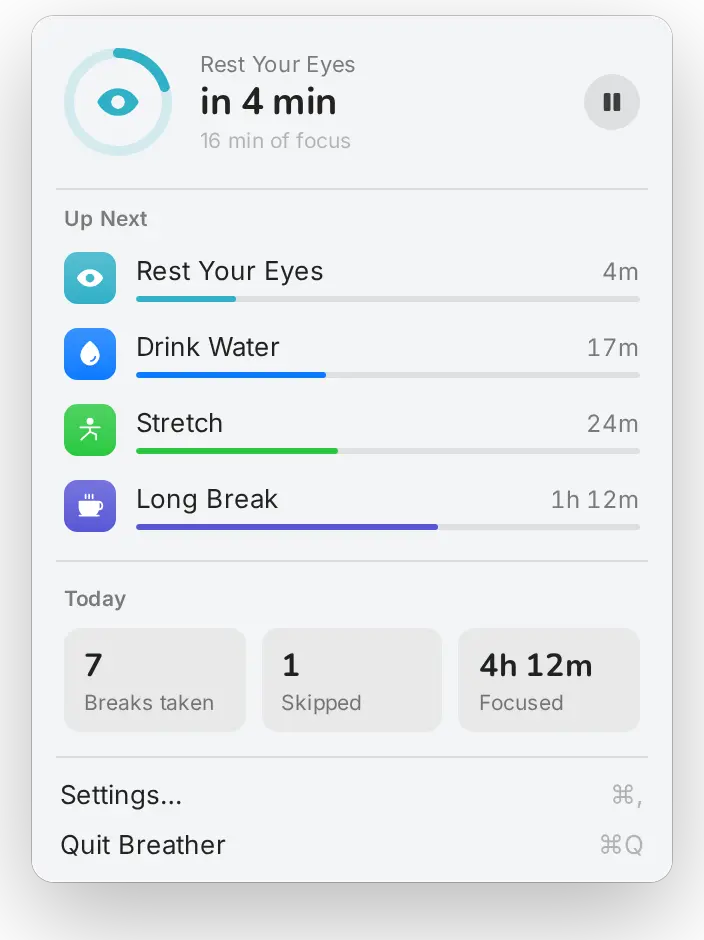
Timers move only while you're using your Mac. Walk away, lock the screen or close the lid, and they stop where they are.
Step away for at least as long as a break and Breather treats it as taken, so it never asks you to rest right after you've rested.
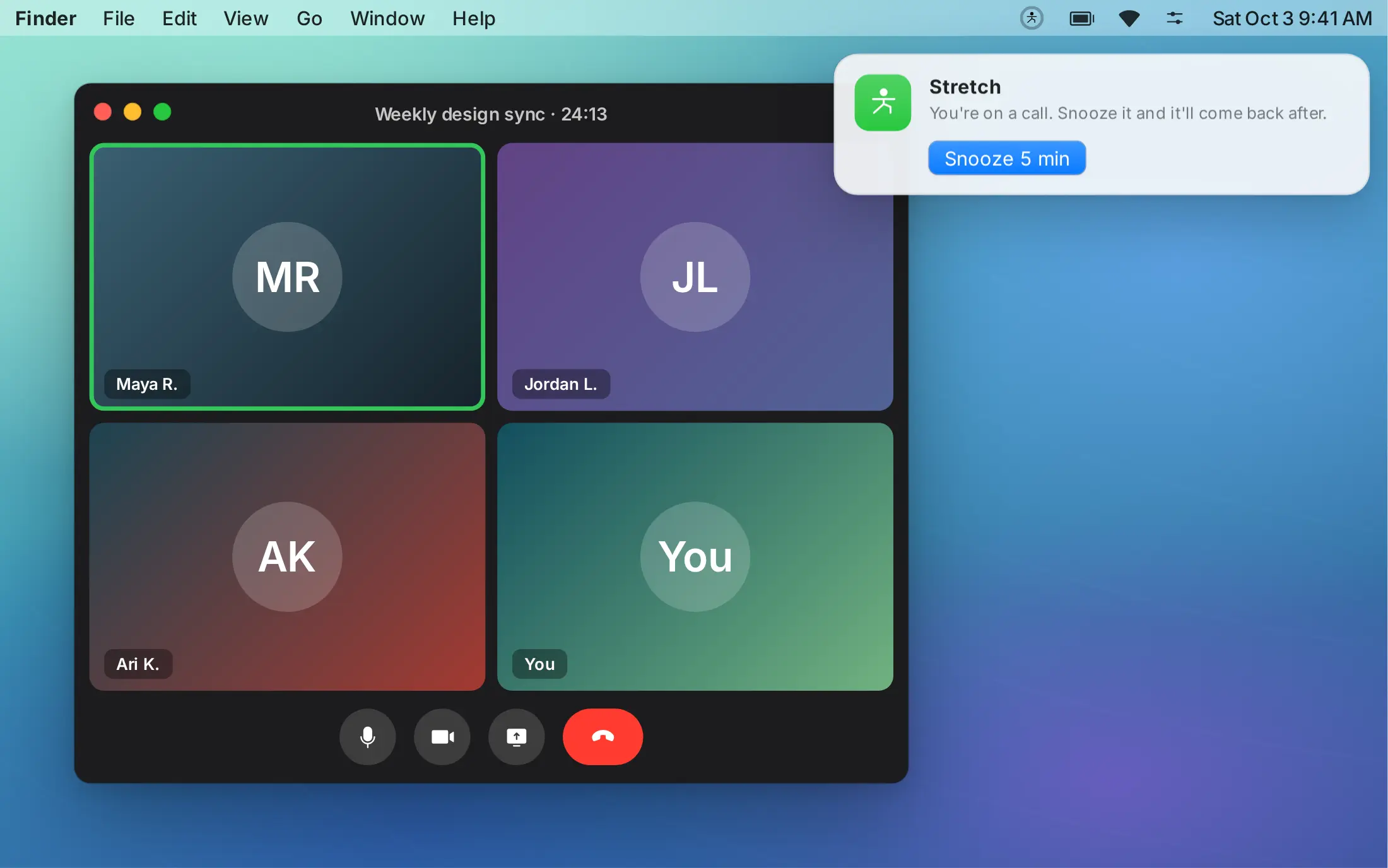
When any app is using your microphone or camera, breaks wait as a banner you can snooze, and sounds stay muted. No permissions needed.
Short breaks slide in like a notification. Start the timer, mark it done, snooze or skip. Optional reminders dismiss themselves if you're busy and try again next cycle.
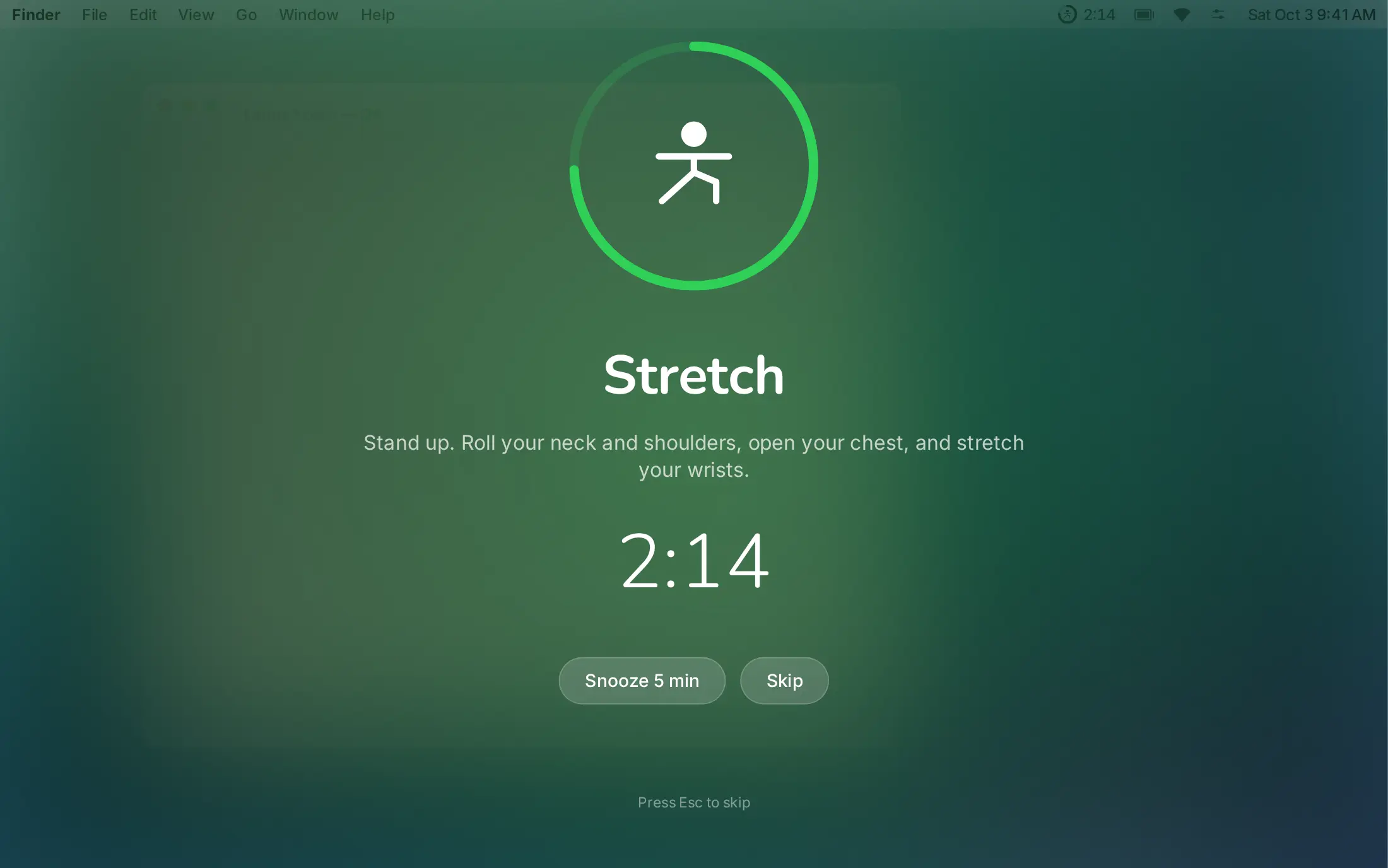
Longer breaks dim every display and count you down. A heads-up banner comes first, so you can finish your sentence.
Video calls and phone calls on your Mac are detected automatically. Choose whether breaks wait as a snooze-only banner or your timers pause until the call ends. A full-screen break already on screen is snoozed for you.
Set the name, icon and color, how often it comes up, how long it lasts, banner or full screen, whether it can be skipped or snoozed, and the sounds it plays when it starts and ends.
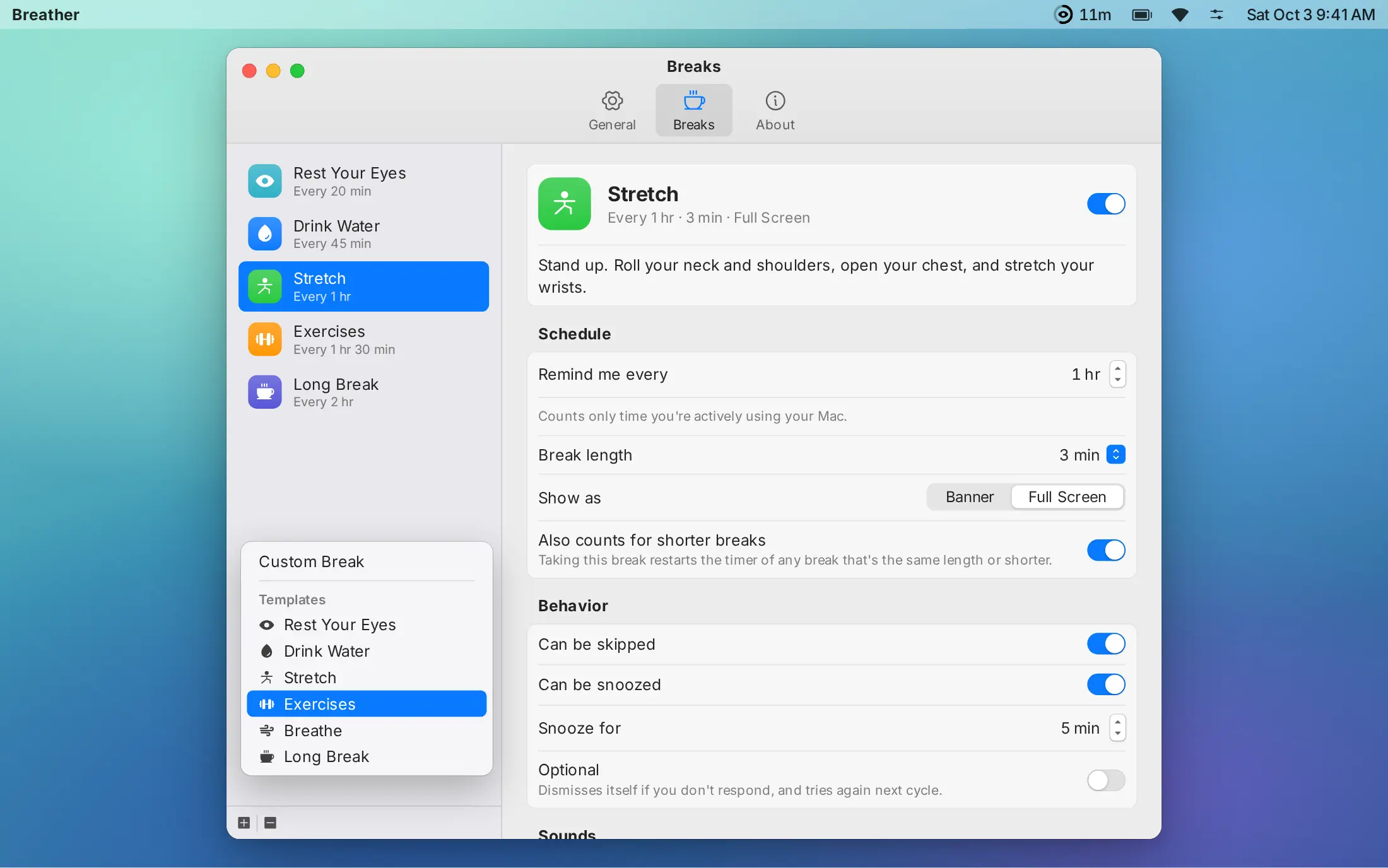
Breather starts with the four marked below. Add any template from the + menu, or build your own from scratch. Intervals count active time only.
| Break | Every | Length | Shown as |
|---|---|---|---|
 Rest Your EyesDefaultLook at something 20 feet away for 20 seconds. | 20 min | 20 sec | Banner |
 Drink WaterDefaultGrab a glass of water and take a few sips. | 45 min | Reminder | Banner |
 StretchDefaultRoll your neck and shoulders, open your chest, stretch your wrists. | 1 hr | 3 min | Full screen |
 Long BreakDefaultStep away from the screen. Get some air, have a snack. | 2 hr | 15 min | Full screen |
 Exercises15 squats, 10 push-ups, 30 seconds of plank. | 1 hr 30 min | 5 min | Full screen |
 Posture CheckFeet flat, shoulders back, screen at eye level. | 30 min | Reminder | Banner |
 BreatheBox breathing: in for 4, hold for 4, out for 4, hold for 4. | 1 hr 30 min | 1 min | Full screen |
 Take a WalkGet up and move for a few minutes. Bonus points for going outside. | 1 hr 30 min | 10 min | Full screen |
Box breathing: in for four, hold for four, out for four, hold for four. Four rounds is one minute. Breather can remind you to do this every 90 minutes.
Your breaks and stats are stored on your Mac and nowhere else. Read the privacy policy.
In the menu bar, near the clock. Breather has no Dock icon or main window. Click the ring to see your upcoming breaks, and choose Settings… (⌘,) to change them.
No. When any app is using your microphone or camera, breaks that come due wait as a small banner you can snooze, or your timers pause until the call ends. You choose which in Settings. Break sounds are muted during calls.
Any keyboard, mouse or trackpad input. After a few minutes idle (3 by default, adjustable), timers pause. Locking the screen, display sleep and system sleep pause them too.
Yes. Turn off "Can be skipped" for that break. For a real emergency, holding ⌥ Option still shows a Skip This Once button.
No. Call detection only checks whether a device is in use, and idle detection only checks how long it's been since your last input. Neither triggers a permission prompt.
Any Mac running macOS 14 Sonoma or later.
 Requires macOS 14 Sonoma or later